DigiOps - Digitising operations simply
DigiOps is an enterprise software solution for digitising operations.
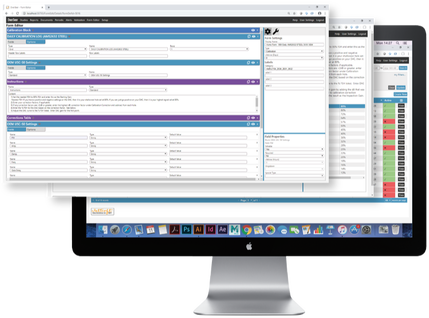
DigiOps puts the power into your hands, enabling administrators to create digital templates, which are completed by users.
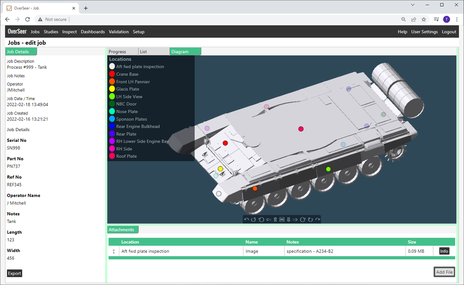
Users can create jobs which are collections of work items, track progress through facility, produce reports, view and analyse data.
DigiOps templates are much more than documents, but interactive entities that can include, expiry dates, perform data validation and have attachments and links to other entities.
In it’s simplest form DigiOps replicates and replaces paper based systems, but with enhanced features, that maximise the potential of digitisation.
Originally designed for managing inspection process management DigiOps has expanded and can now be used across shop floor operations, to give clear insight, aid management and increase efficiency.
DigiOps is deployed on premises for ultimate data security, and users interact with the system via a web browser meaning zero install, reducing the demands on IT departments
DigiOps is built on the OverSeer framework and so comes with built in business intelligence, through interactive visualisations and simple filtering systems. Alternatively, users can connect their own business intelligent solutions (e.g. Power BI) to the OverSeer SQL database. This provides improved communication for all stakeholders and the ability to gain better insight into process, enabling smart continuous improvement.
DigiOps puts the power into your hands, enabling administrators to create digital templates, which are completed by users.
Users can create jobs which are collections of work items, track progress through facility, produce reports, view and analyse data.
DigiOps templates are much more than documents, but interactive entities that can include, expiry dates, perform data validation and have attachments and links to other entities.
In it’s simplest form DigiOps replicates and replaces paper based systems, but with enhanced features, that maximise the potential of digitisation.
Originally designed for managing inspection process management DigiOps has expanded and can now be used across shop floor operations, to give clear insight, aid management and increase efficiency.
DigiOps is deployed on premises for ultimate data security, and users interact with the system via a web browser meaning zero install, reducing the demands on IT departments
DigiOps is built on the OverSeer framework and so comes with built in business intelligence, through interactive visualisations and simple filtering systems. Alternatively, users can connect their own business intelligent solutions (e.g. Power BI) to the OverSeer SQL database. This provides improved communication for all stakeholders and the ability to gain better insight into process, enabling smart continuous improvement.
|
Benefits and features
Reduce administrative burden on key personnel, for increased productivity:
|
|
|
Maximise Digitisation:
|
|
Reduce Risk:
Scale and Grow:
|
|
How it works
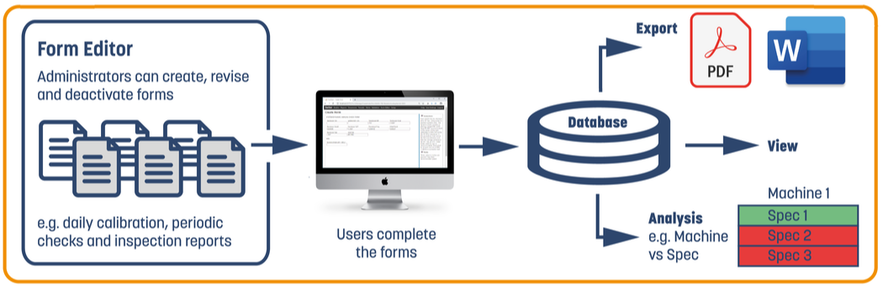
- Digital versions of forms or work items are created by the administrator
- Jobs are created from a group of these work items
- Work items are then available to be completed by users
- Limitations on who can completed forms as well as other restrictions can be set. For example inspection reports can only be created if the correct calibration and certification requirements are met
- Forms can be a compilation of, or a wrapper for, other documents. This is because forms can have an upload requirement
- Forms can have an expiry date, which is easily viewed and registered users can be informed as that date approaches
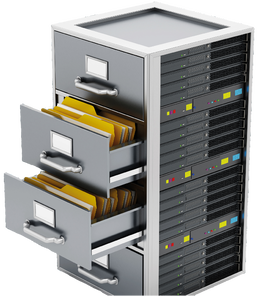
- Once documents are completed there are stored in a central database, which is easily and automatically backed up
- Completed forms are easy to find and view, and can downloaded to .pdf or .word formats, to meet existing procedural requirements
- Job progression can be monitored throughout and data can be easily found and recalled at any time
Product Downloads

| digiops_datasheet.pdf |
Related Products
OverSeer
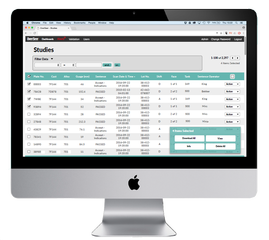
Allows NDT information to be catalogued and easily searched. Business intelligent functions provide a clearer view of NDT processes Read More |
Tracer
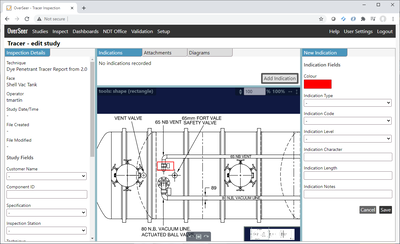
Rich data capture for manual manufacturing processes. Tracer provides automatic report generation and improved traceability Read More |